









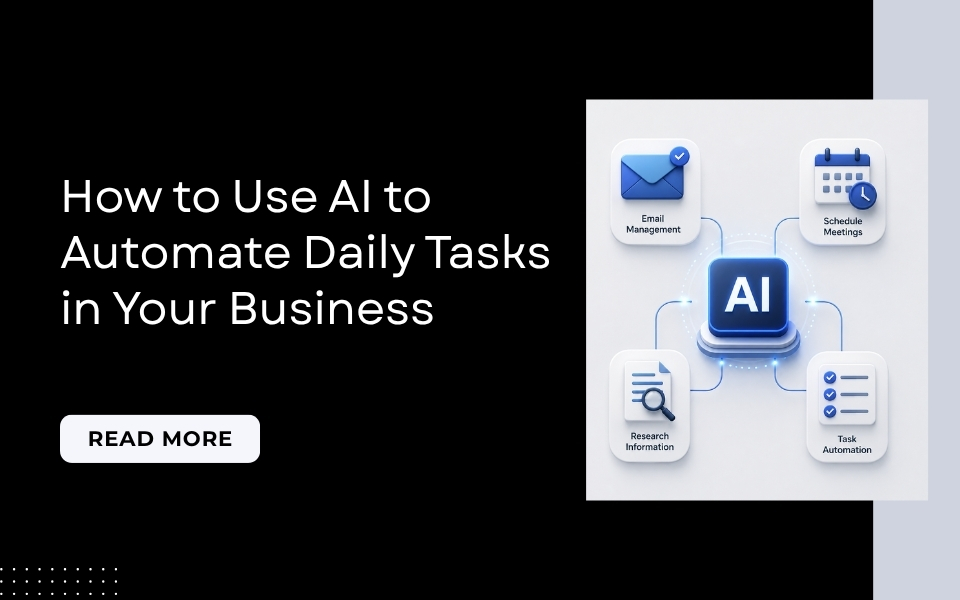
You can automate daily tasks with AI, like email drafting, meeting notes, scheduling, and reporting, using everyday tools like ChatGPT, Claude, Zapier, and Otter.ai, without writing any code. Most small businesses start with one task that repeats often, see results within an hour or two of setup, and expand from there.
If you feel like your day disappears into small, repetitive tasks before you get to the work that actually matters, you’re not imagining it. Studies suggest the average knowledge worker spends several hours a day on tasks that AI tools can now handle in minutes, email replies, meeting summaries, scheduling back-and-forth, basic reports.
The good news: you don’t need to be technical, and you don’t need an expensive system to start. Most businesses can automate daily tasks with AI using tools they can set up in under an hour, often for free.
In this guide, we’ll walk through exactly which daily tasks are worth automating first, the tools that actually work, and a simple way to get started without overcomplicating things.
Which Daily Tasks Are Worth Automating With AI?

Not everything should be automated. Some tasks genuinely need a human’s judgment, and some are quick enough that setting up automation isn’t worth the effort.
Good candidates to automate daily tasks with AI usually share three traits:
-
You do the task the same way more than a few times a week
-
It follows a fairly predictable pattern (even if the details change)
-
Getting it slightly wrong isn’t high-risk, since you can still review before it goes out
Email replies, meeting notes, and basic reports check all three boxes. A sensitive client negotiation or a legal decision doesn’t.
How to Automate Daily Tasks with AI: 7 Practical Places to Start
1. Email: Drafting and Triage
Most people spend one to two hours a day on email, and a large chunk of that is writing similar responses over and over.
How to automate it: Use ChatGPT, Claude, or Gemini to draft a reply template for your most common types of emails. Tools built specifically for this, like Superhuman, can go further by drafting full responses inside your inbox based on context. You review and send, rather than writing from scratch every time.
2. Meeting Notes and Transcription
Sitting through a meeting and then writing up notes afterwards is one of the most commonly automated tasks, for good reason.
How to automate it: Tools like Otter.ai can join your Zoom or Google Meet calls, transcribe the conversation, and automatically generate a summary with action items. A 60-minute meeting can turn into a clean, shareable action list in a few minutes.
3. Scheduling
The back-and-forth of finding a time that works for everyone takes longer than it should.
How to automate it: Scheduling tools connected to an AI assistant can handle the coordination for you, offering available times, confirming bookings, and sending reminders, without the email thread.
4. Research and Summarization
Reading through multiple articles or documents just to pull out the key points is a slow way to get the information you need quickly.
How to automate it: AI tools can summarise a document, article, or webpage into the key facts in seconds. This is especially useful for competitive research, industry updates, or reviewing long reports before a meeting.
5. Content Drafting
Blog posts, proposals, job descriptions, and standard operating procedures all take real time to write from a blank page.
How to automate it: AI won’t replace your voice or judgment, but it can produce a solid first draft in minutes. You edit and refine, rather than starting from nothing. This alone can meaningfully cut the time it takes to get a first version out.
6. Customer Support Triage and FAQs
Not every customer question needs a person to answer it individually, especially the ones you get asked repeatedly.
How to automate it: AI-powered chat tools can handle common FAQs directly and sort incoming messages by urgency or topic before they reach your team, so your staff spend time on the questions that actually need a human.
7. Reporting and Data Summaries
Pulling together a weekly sales report or performance summary manually is tedious and easy to fall behind on.
How to automate it: Connect your data source (a spreadsheet, CRM, or sales platform) to an AI tool that formats and emails you a summary automatically, weekly or monthly, without you compiling it by hand each time.
How to Actually Get Started
You don’t need a complicated setup to automate daily tasks with AI. A simple, realistic starting process looks like this:
-
List the tasks you repeat most often, daily or weekly
-
Pick just one to start with, ideally the one costing you the most time
-
Choose a simple tool that fits that task (you don’t need a “stack” of five tools on day one)
-
Test it for a week and see how much time it actually saves
-
Expand to a second task once the first one is working smoothly
Starting small and building the habit of noticing automation opportunities tends to work far better than trying to automate everything in your business at once.
What NOT to Automate Yet
Being selective matters as much as automating in the first place. Be cautious about fully automating:
-
Sensitive client or HR conversations that need genuine human judgment
-
Anything involving legal, financial, or compliance decisions
-
Tasks you don’t yet do yourself consistently, since it’s hard to automate a process you haven’t defined clearly
Common Mistakes When Automating with AI
-
Trying to automate everything at once, instead of starting with one high-impact task
-
Skipping the review step, especially early on, before you trust the output
-
Choosing tools based on hype rather than the actual task you’re trying to solve
-
Not revisiting the setup; automations can drift out of date as your business changes
Conclusion
You don’t need to be technical, and you don’t need to automate everything at once to start seeing real results. Pick one repetitive task, whether that’s email, meeting notes, or reporting, and start there. Once it’s working, expand from there.
Frequently Asked Questions
Q1. What daily business tasks can I automate with AI?
Common tasks that are easy to automate daily with AI include email drafting and triage, meeting note transcription, scheduling, research summarization, content drafting, customer support FAQs, and reporting.
Q2. Do I need coding skills to automate daily tasks with AI?
No. Most tools used to automate daily tasks with AI, like ChatGPT, Claude, Otter.ai, and Zapier, are designed to be used without any coding knowledge.
Q3. Which task should I automate first?
Start with whichever repetitive task takes up the most time in your week and follows a predictable pattern; email replies and meeting notes are common first choices since they’re quick to set up and show results fast.
Q4. Is it safe to automate customer-facing tasks with AI?
It can be, when used for lower-risk tasks like FAQs and message routing, with a human reviewing anything sensitive. Fully automating high-stakes or sensitive conversations without human oversight is not recommended.
Q5. How much time can AI automation actually save?
Reported time savings vary by task and business, but small businesses using AI to automate tasks like email and reporting commonly report reclaiming several hours per week, particularly for repetitive administrative work.
Q6. Should I automate everything in my business at once?
No. Starting with one well-chosen task and expanding gradually tends to produce better, more reliable results than attempting to automate an entire business at once.